
DRAGON 1.2.0 — From Smarter Terminal to Workflow Tool
DRAGON has always been a smarter place to type commands. With 1.2.0, it becomes something more: a tool that collects status for you, recovers dropped links on its own, and adapts to how you like to work. And it does all of that without breaking the two promises that matter most — the copilot never types for you, and your data never leaves the room.
Collection Runs — status snapshots on demand
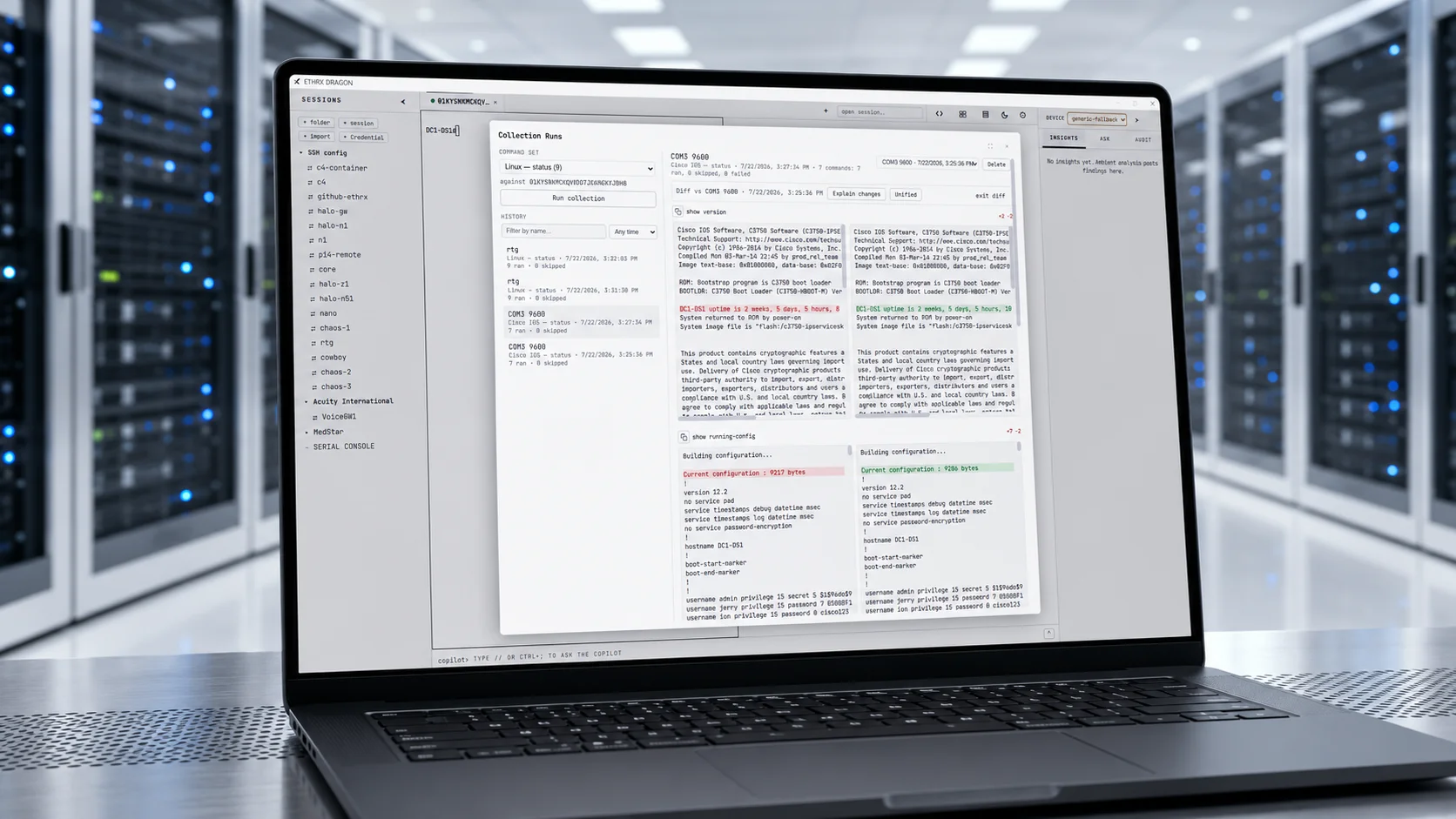
This is the headline. Pick a connected device, run an ordered set of read-only commands — show version, show run, show int status, uptime, df -h, whatever you need — and DRAGON captures each command's output into a saved, timestamped snapshot, then summarizes it with the copilot. Re-run later and diff two snapshots side by side to see exactly what changed: config drift, version deltas, neighbor and inventory changes.
This is the first time DRAGON's core auto-sends commands — and it does so only for commands a classification guard proves are read-only. Anything that could change state is skipped, never transmitted, and every auto-sent command is written to the tamper-evident audit log. The "DRAGON suggests, never executes for writes" invariant stands: reads are the only thing it auto-runs, and only behind a proven gate. It ships with sensible default command sets for Cisco and Juniper gear and for Linux/Unix servers.
Automatic reconnect
Flaky link, bounced console server, suspended VPN — when a session drops, DRAGON now reconnects it in the background with backoff (plus a one-click retry now) and a full audit trail, instead of leaving you staring at a dead tab.
Light mode
A full light theme that keeps the brand aesthetic, terminal included, toggled instantly from a sun/moon control in the tab bar or under Settings → Appearance. It persists across sessions.
Trial hardening
The 14-day trial is now resistant to casual resets. Its start anchors to a tamper-evident marker stored outside the app data dir, so a factory reset, an uninstall-and-reinstall, or a data-dir delete no longer resets the clock — and a system-clock rollback can't extend it. True to DRAGON's posture, the marker holds no secret and no personal data (just a machine-fingerprint hash and two timestamps), it never phones home, a licensed install never creates one, and a factory reset still wipes every secret.
Also new
- Guided first-run tour — a skippable spotlight walkthrough of the core surfaces, replayable anytime.
- Multiple AI providers with quick-switch — configure several local or remote inference providers and switch the active one on the fly.
- Serial break signal — a BRK control sends a true line break for console recovery (ROMMON, password recovery).
- In-app factory reset — wipe all DRAGON state (license, sessions, known-hosts, vault credentials, provider keys, RAG index, audit log) from Settings, on every platform.
~/.ssh/configimport — pull host aliases straight from your SSH config, alongside the existing PuTTY and SecureCRT import.
Polish & accuracy
A RAG accuracy pass adds folder-scoped knowledge, so reference material stays scoped to the device group you're working in and answers stay grounded. Core-error toasts are now human-readable and auto-dismiss. And the Settings and Collection UI got a responsive overhaul: a fullscreen collection modal, per-block copy-to-clipboard, session and date history filtering, side-by-side diff, and a Settings page that finally uses the full width.
1.2 extends what DRAGON can do — and does it without asking you to trade away the guarantees that made you trust it in the first place.